
Planning & Calendars
Project Timeline
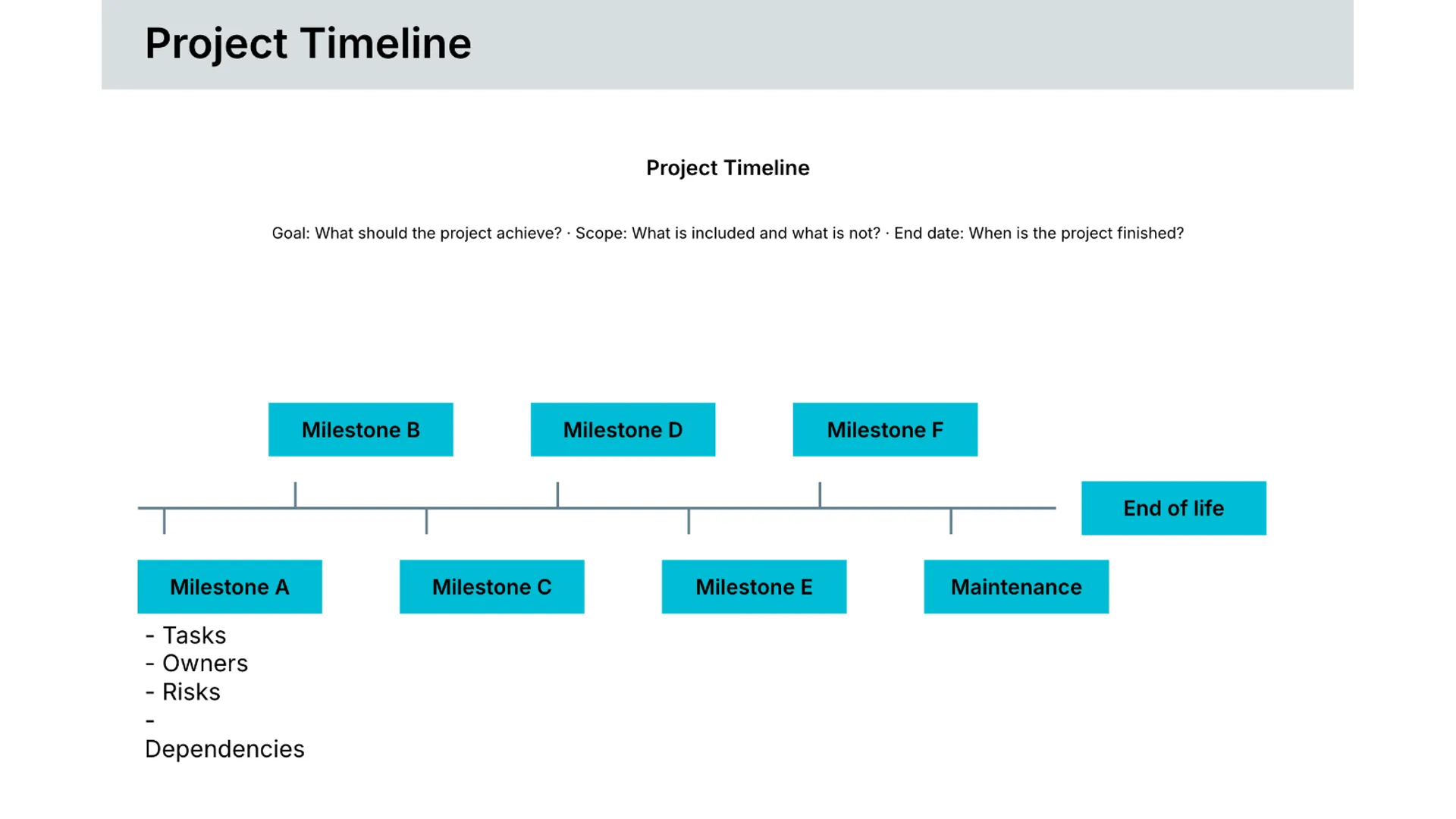
Project timeline with milestones from kick-off to maintenance and end of life.
Method
Method description
At a glance
- Milestones A–F on a time axis
- Phases for maintenance and end of life
- Text field for project description
🚀 Project Timeline: How it works in 4 steps
🎯 Purpose: Plan a project along its milestones and make dependencies visible.
1. Describe the project (5 min)
- Action: Replace the placeholder text with goal, scope and end date.
2. Set milestones (15 min)
- Action: Rename Milestones A–F with real results and dates.
- Rule: A milestone is a result, not an activity (“Pilot live”, not “Testing”).
3. Add details (15 min)
- Action: Use the list below a milestone for tasks, owners and risks.
4. Check and agree (10 min)
- Action: Walk the timeline from left to right: is it realistic? What depends on what?
- Goal: A timeline everyone commits to.
🛠️ Your role as facilitator
- Reality check: Ask for buffers between milestones.
- Clarifier: Turn vague dates into concrete ones.
- Keeper: Revisit the board in each status meeting.
Import
Three steps to your board
Download
Save the template's .nwb file to your computer.
Import
Open a board in NeoBoard, choose "Import" and confirm the "Import content" dialog.
Get started
Adapt the template and work on it together – in real time or asynchronously.
Related templates
Planning & Calendars
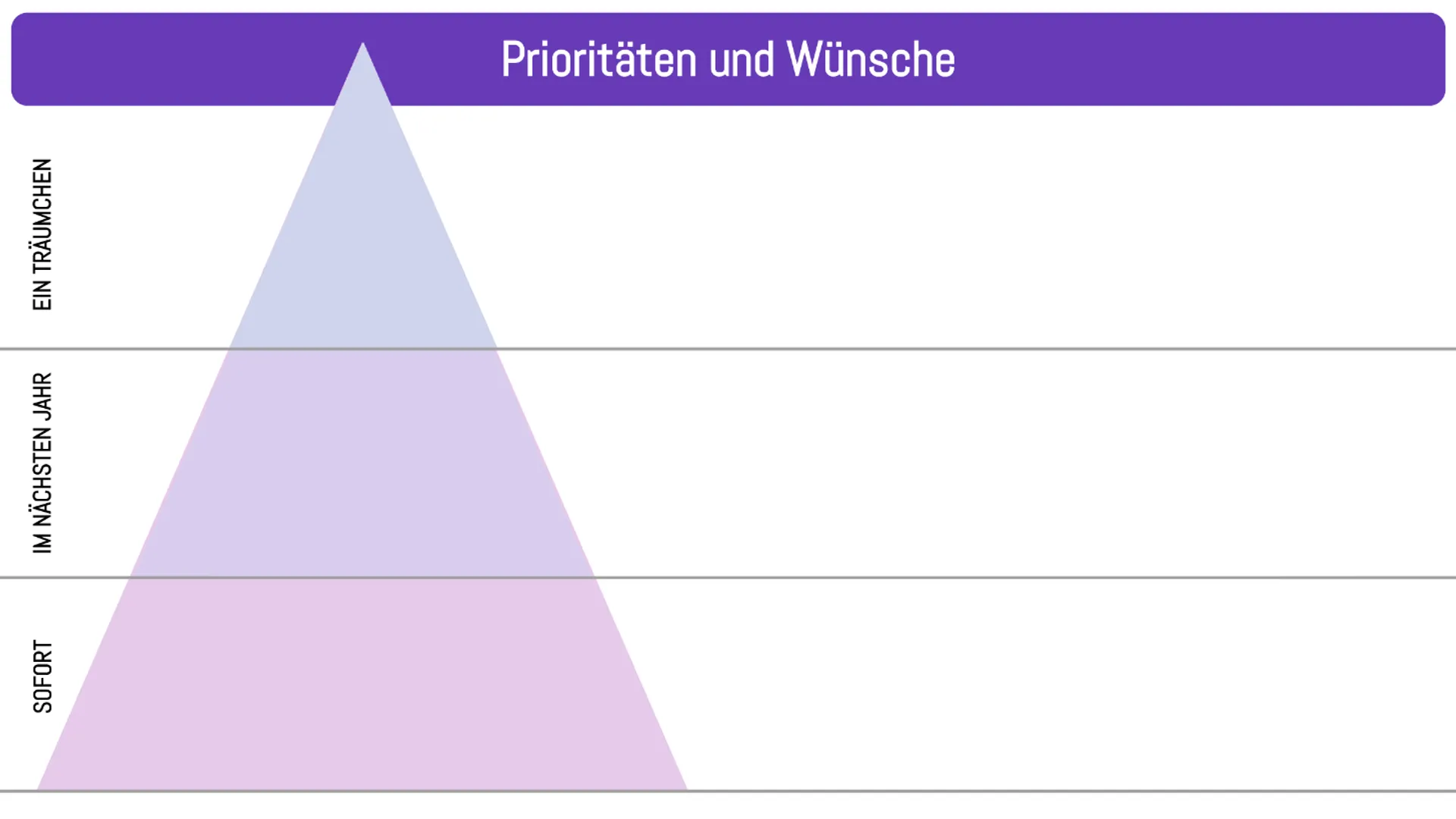
Prioritäten-Pyramide: Sofort, nächstes Jahr, Träumchen
Wünsche und Vorhaben nach Zeithorizont ordnen: sofort, im nächsten Jahr oder als Träumchen.
Planning & Calendars
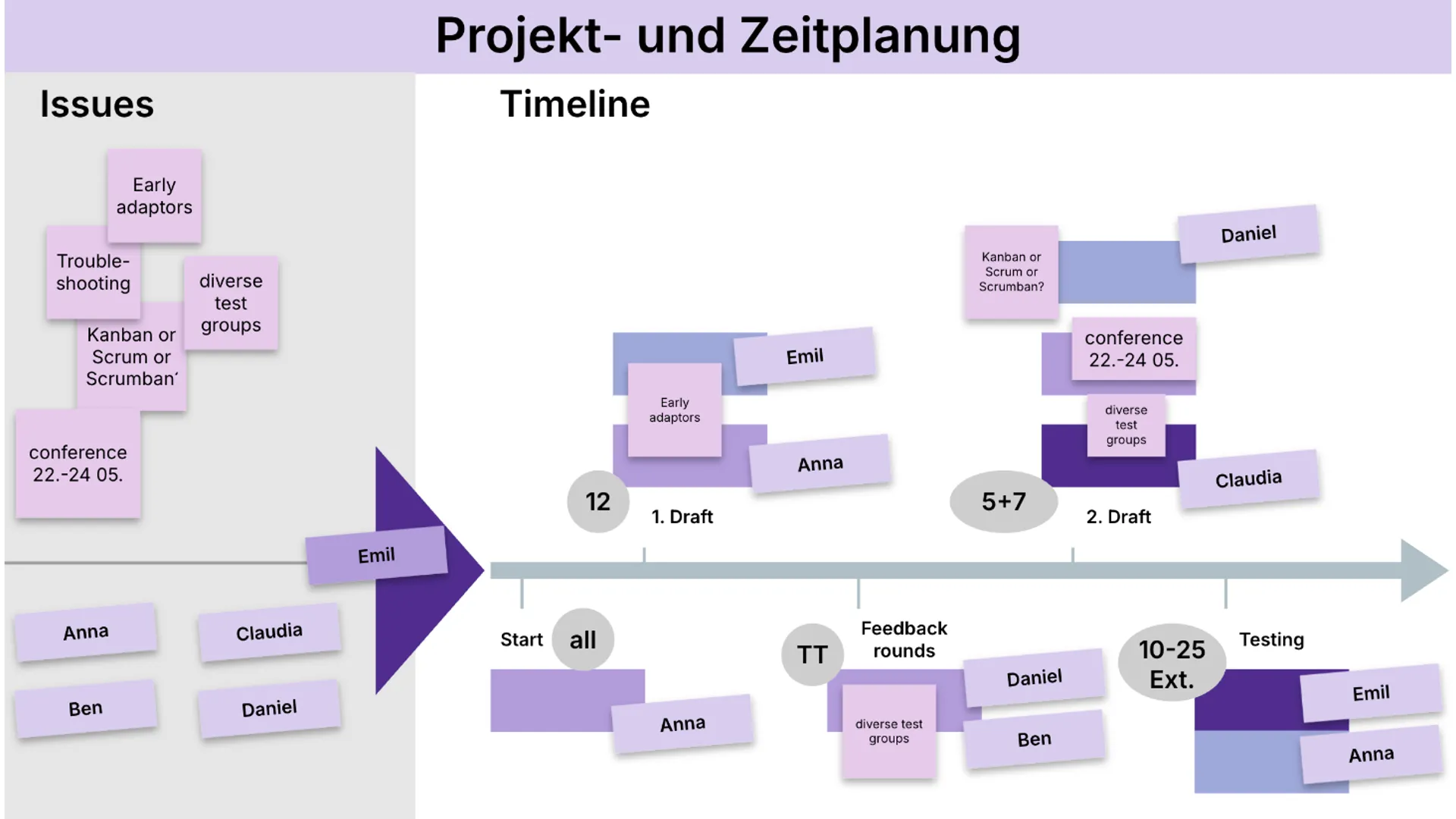
Projekt- und Zeitplanung – Beispiel
Ausgefülltes Beispiel einer Projektplanung mit Themenspeicher, Zeitachse, Entwürfen und Testphasen.
Planning & Calendars
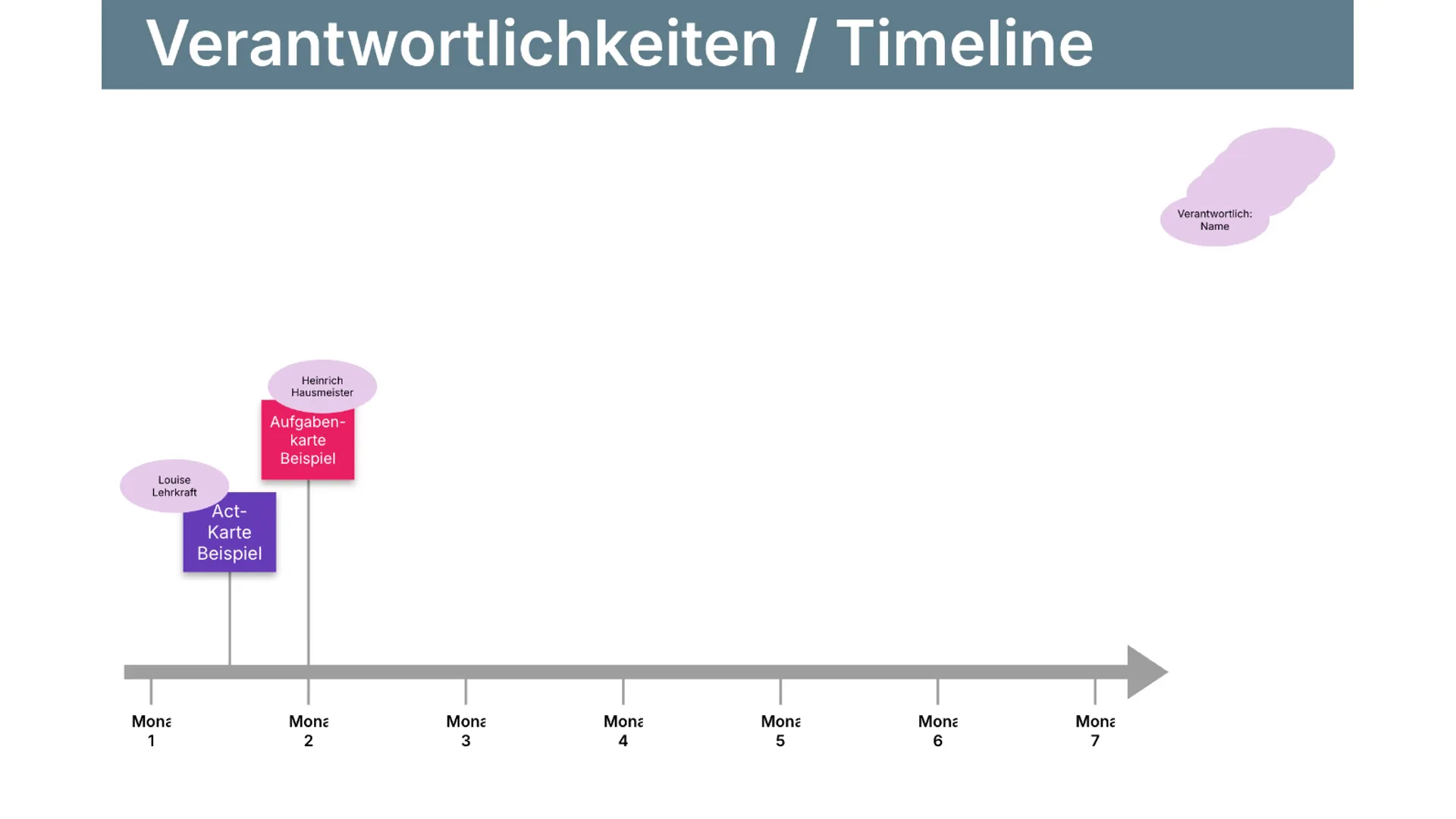
Verantwortlichkeiten & Timeline
Maßnahmen auf einer Monatsachse planen und jeder Aufgabe eine verantwortliche Person zuordnen.
Want to share your own template?
Submit your board so others can use it.