
Planung & Kalender
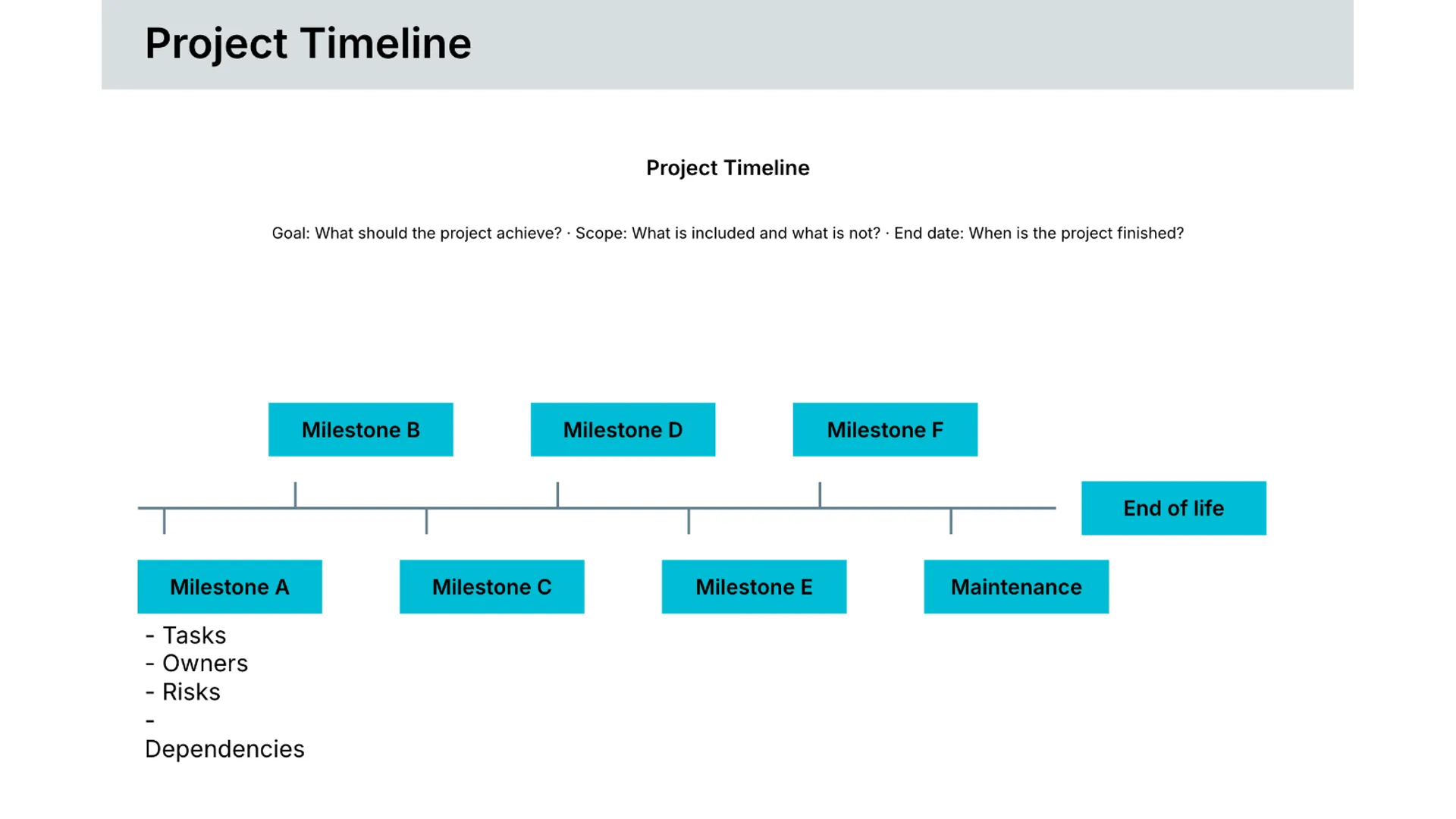
Project Timeline
Project timeline with milestones from kick-off to maintenance and end of life.
Diese Vorlage gibt es nur auf Englisch.
Methode
Methodenbeschreibung
Auf einen Blick
- Milestones A–F on a time axis
- Phases for maintenance and end of life
- Text field for project description
🚀 Project Timeline: How it works in 4 steps
🎯 Purpose: Plan a project along its milestones and make dependencies visible.
1. Describe the project (5 min)
- Action: Replace the placeholder text with goal, scope and end date.
2. Set milestones (15 min)
- Action: Rename Milestones A–F with real results and dates.
- Rule: A milestone is a result, not an activity (“Pilot live”, not “Testing”).
3. Add details (15 min)
- Action: Use the list below a milestone for tasks, owners and risks.
4. Check and agree (10 min)
- Action: Walk the timeline from left to right: is it realistic? What depends on what?
- Goal: A timeline everyone commits to.
🛠️ Your role as facilitator
- Reality check: Ask for buffers between milestones.
- Clarifier: Turn vague dates into concrete ones.
- Keeper: Revisit the board in each status meeting.
Import
In drei Schritten zum Board
Herunterladen
Laden Sie die .nwb-Datei der Vorlage auf Ihren Rechner.
Importieren
Öffnen Sie ein Board in NeoBoard, wählen Sie „Importieren“ und bestätigen Sie den Dialog „Inhalt importieren“.
Loslegen
Passen Sie die Vorlage an und arbeiten Sie gemeinsam daran – in Echtzeit oder asynchron.
Verwandte Vorlagen
Planung & Kalender
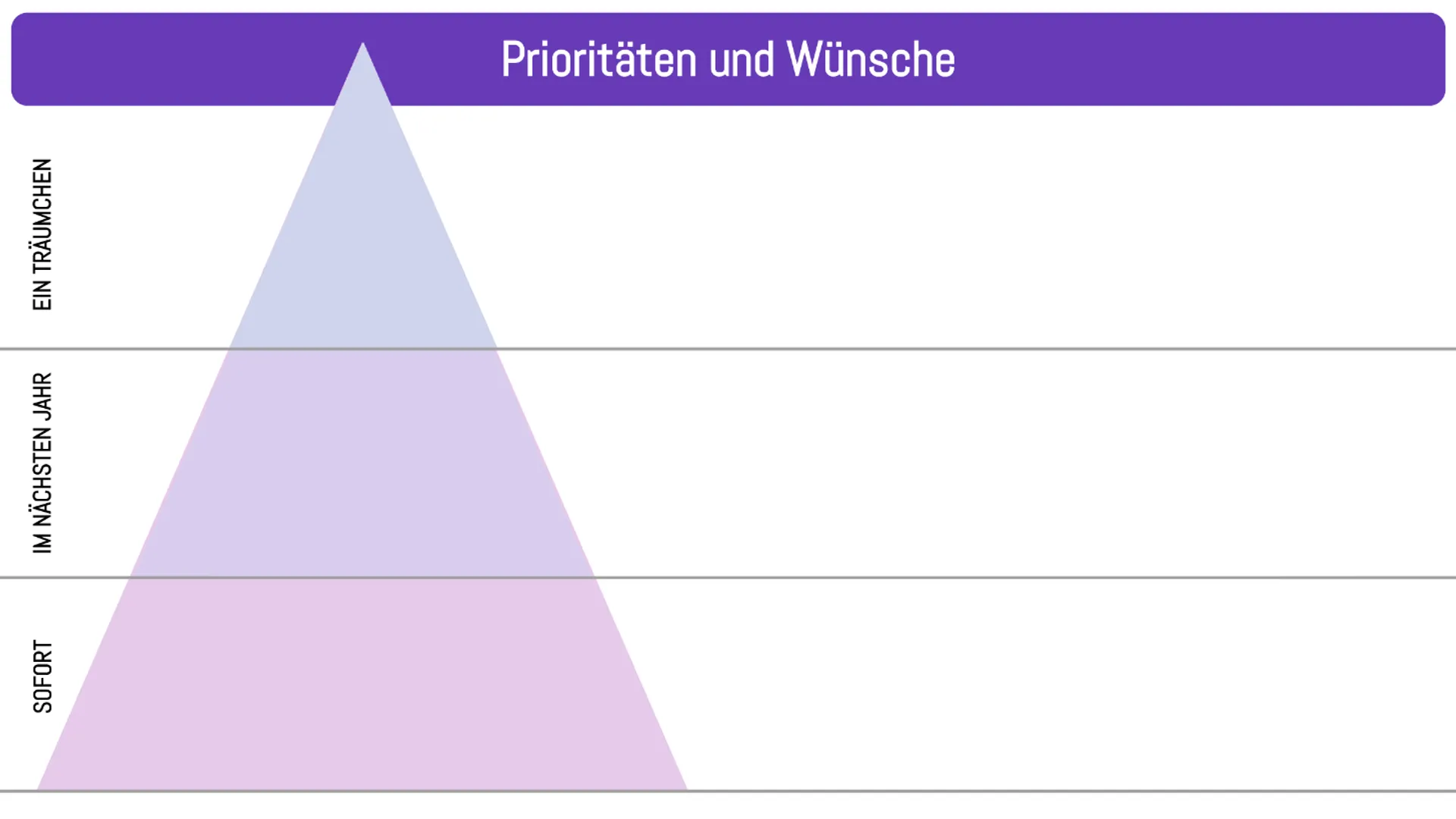
Prioritäten-Pyramide: Sofort, nächstes Jahr, Träumchen
Wünsche und Vorhaben nach Zeithorizont ordnen: sofort, im nächsten Jahr oder als Träumchen.
Planung & Kalender
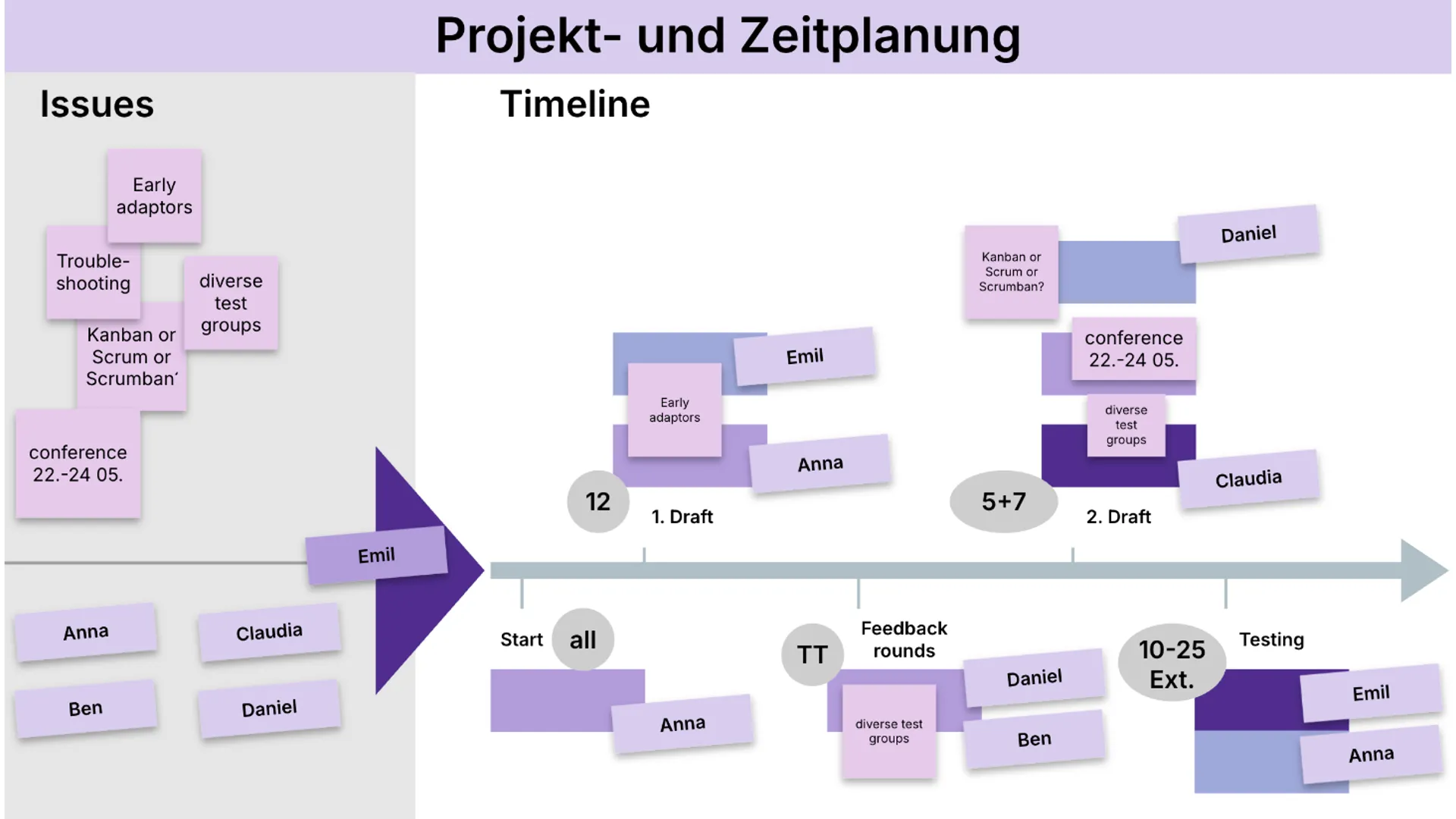
Projekt- und Zeitplanung – Beispiel
Ausgefülltes Beispiel einer Projektplanung mit Themenspeicher, Zeitachse, Entwürfen und Testphasen.
Planung & Kalender
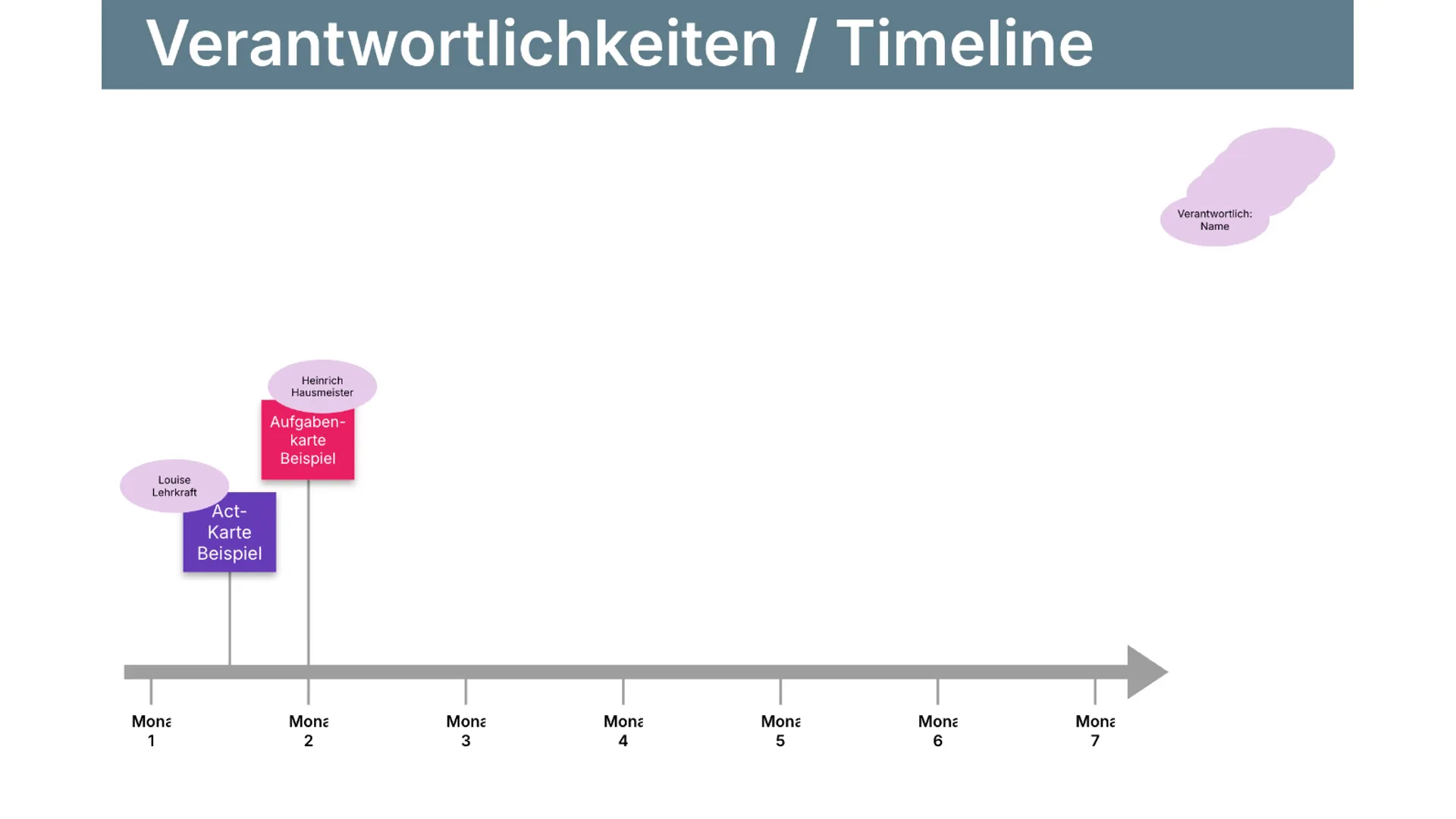
Verantwortlichkeiten & Timeline
Maßnahmen auf einer Monatsachse planen und jeder Aufgabe eine verantwortliche Person zuordnen.
Eigene Vorlage teilen?
Reichen Sie Ihr Board ein, damit andere es nutzen können.